One system for the whole company?
innovdeERP
Finance, inventory and HR in one all-in-one system – for companies that want to run all their processes in one place.
View innovdeERP innovdeHRSoftware by InnovDe
innovdeHR brings personnel records, biometric attendance on ZKTeco terminals, leave balances and payroll preparation together in one system.
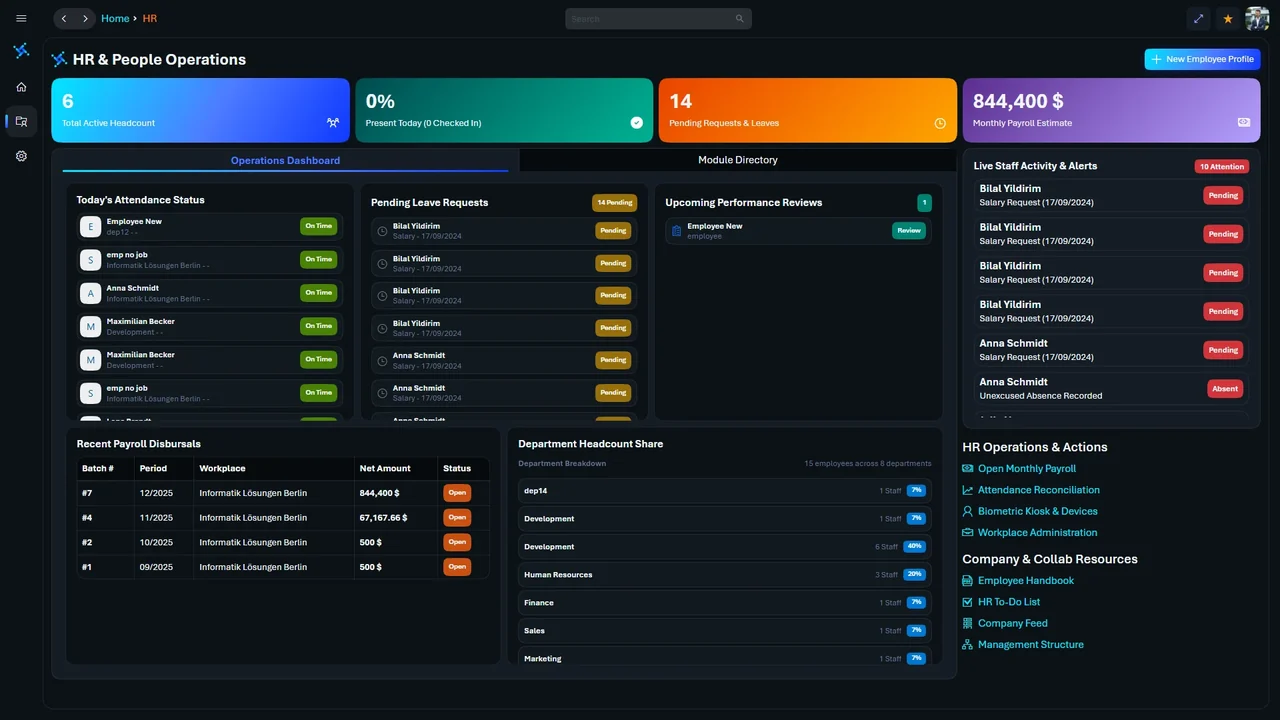
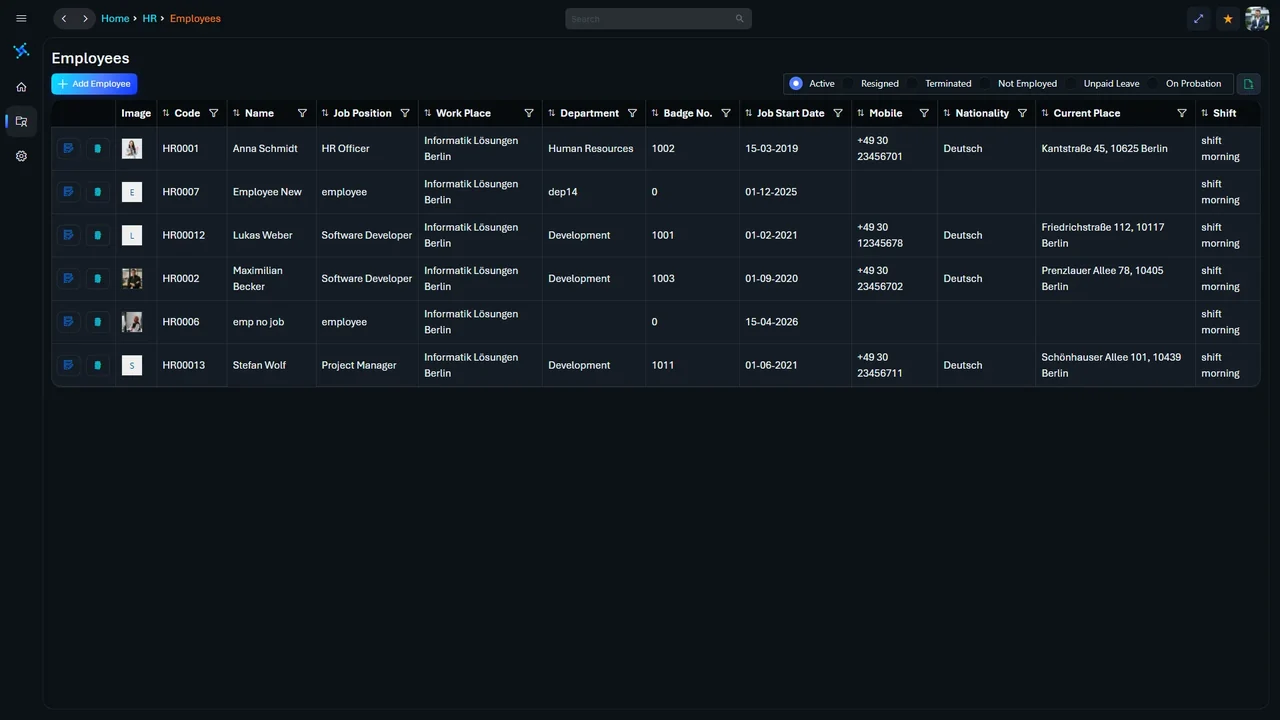
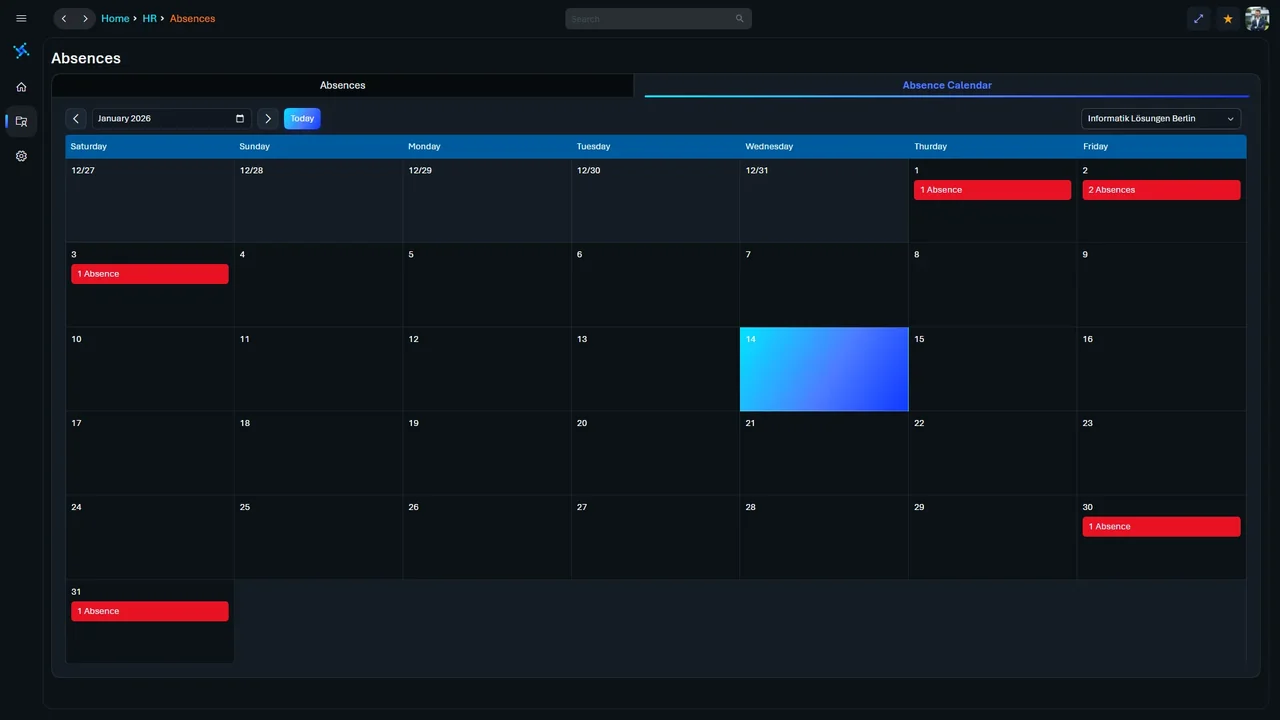
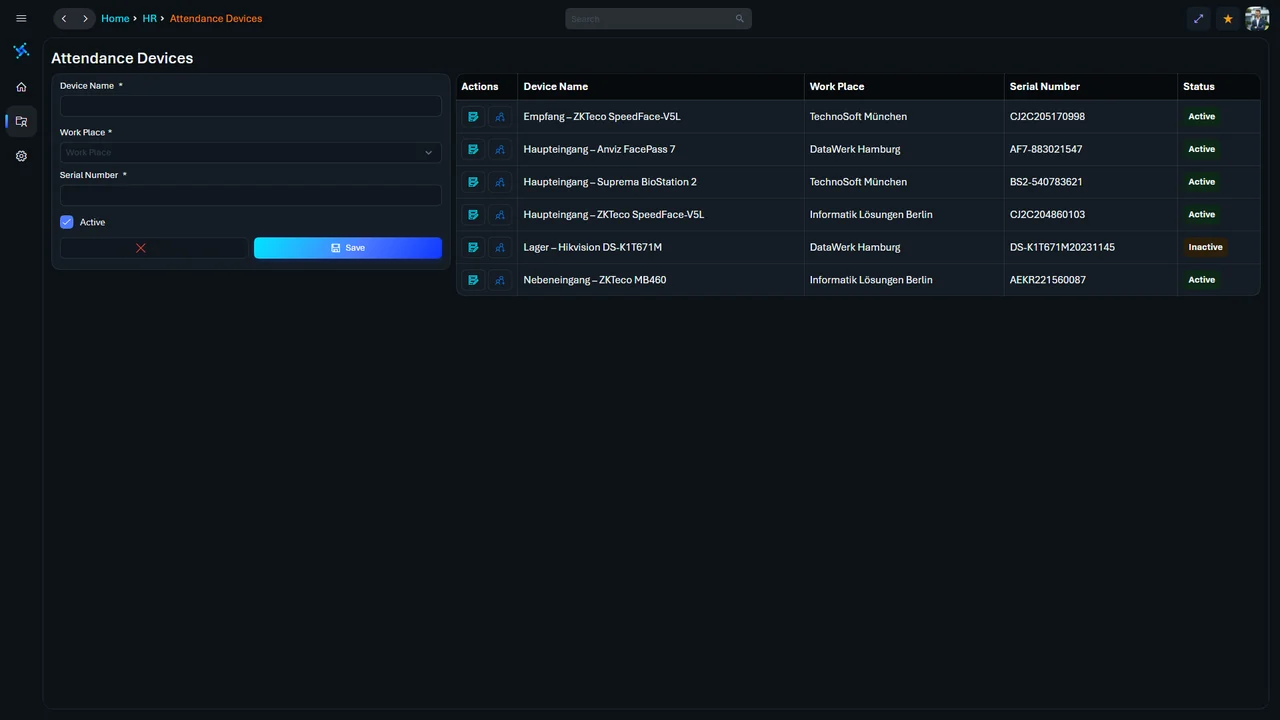
Operations dashboard · Live workforce overview, status and open itemsEmployee directory · Records, positions and workplacesAbsence calendar · Monthly view of absences per workplaceAttendance devices · Terminals mapped to workplace and entrance by serial number
Two products, two jobs
Both come from InnovDe – and they are separate products. One question decides:
One system for the whole company?
Finance, inventory and HR in one all-in-one system – for companies that want to run all their processes in one place.
View innovdeERPAttendance, leave and personnel records – with terminals at the door?
The dedicated platform for everything about your people: biometric attendance on ZKTeco terminals, leave balances, contracts and qualifications, reviews and payroll preparation.
The platform
Every module works from the same personnel data – contract, fingerprint and approved leave never contradict each other.
01Directory & personnel
Filter by status – active, resigned, terminated, unpaid leave or on probation. Personal details, badge numbers and department assignments in one table.
02Operations hub
Core HR, leave, payroll preparation, performance reviews and attendance in one place – requests and approvals run through structured workflows.
03Leave management
Remaining days, approved time off and deductions per person at a glance – managers see the balance before they approve a request.
04Biometric hardware
Connect ZKTeco MB460, SpeedFace-V5L and other readers over TCP/IP, assign them to entrances and zones – punches flow into the personnel record automatically.
05Configuration & compliance
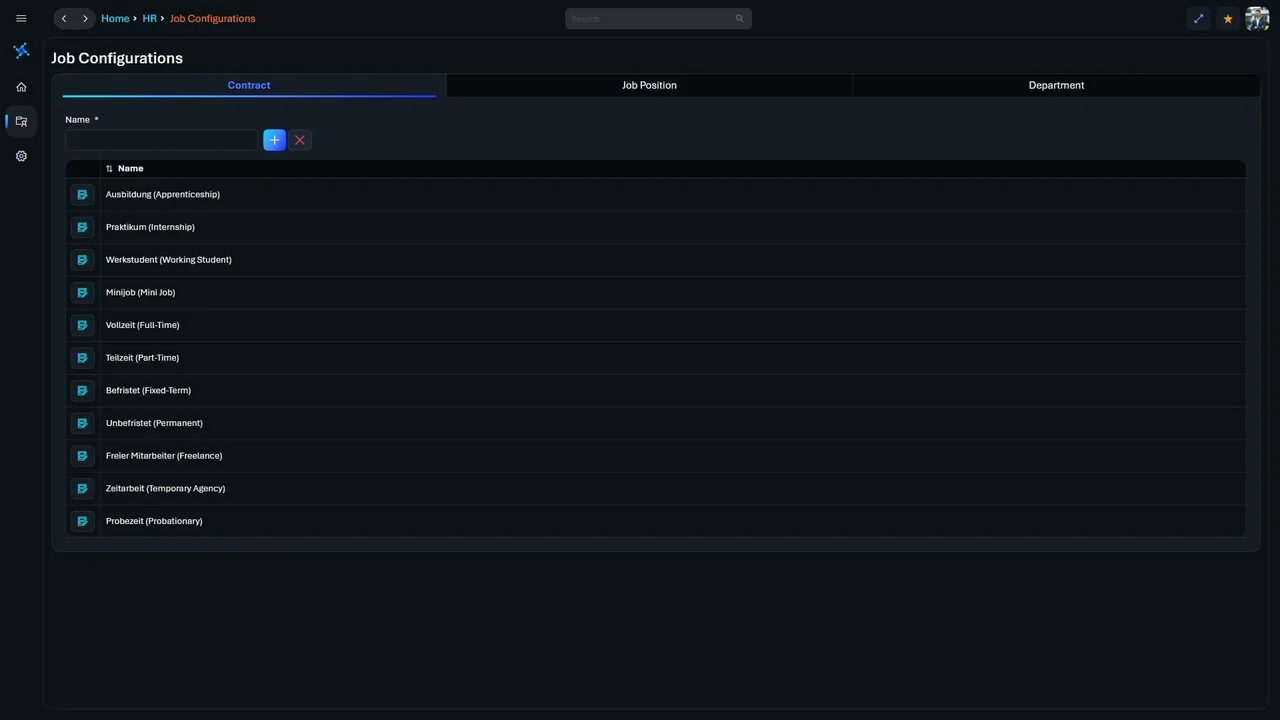
Contract types from full-time to fixed-term, degrees and certificates, and fine-grained user permissions – set once, applied everywhere.
06Financial operations & additionals
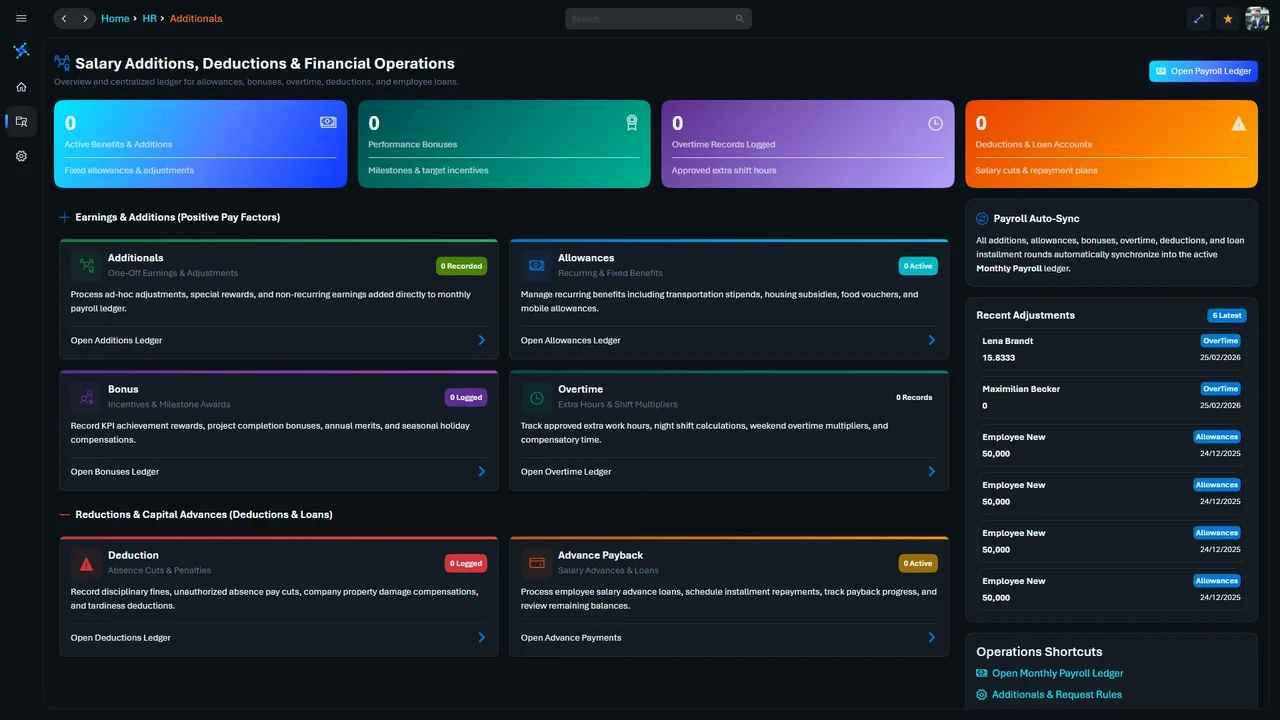
Overview and centralized ledger for allowances, bonuses, overtime hours, absence penalties, and salary advance repayments. Everything synchronizes automatically into the active payroll ledger.
Biometrics
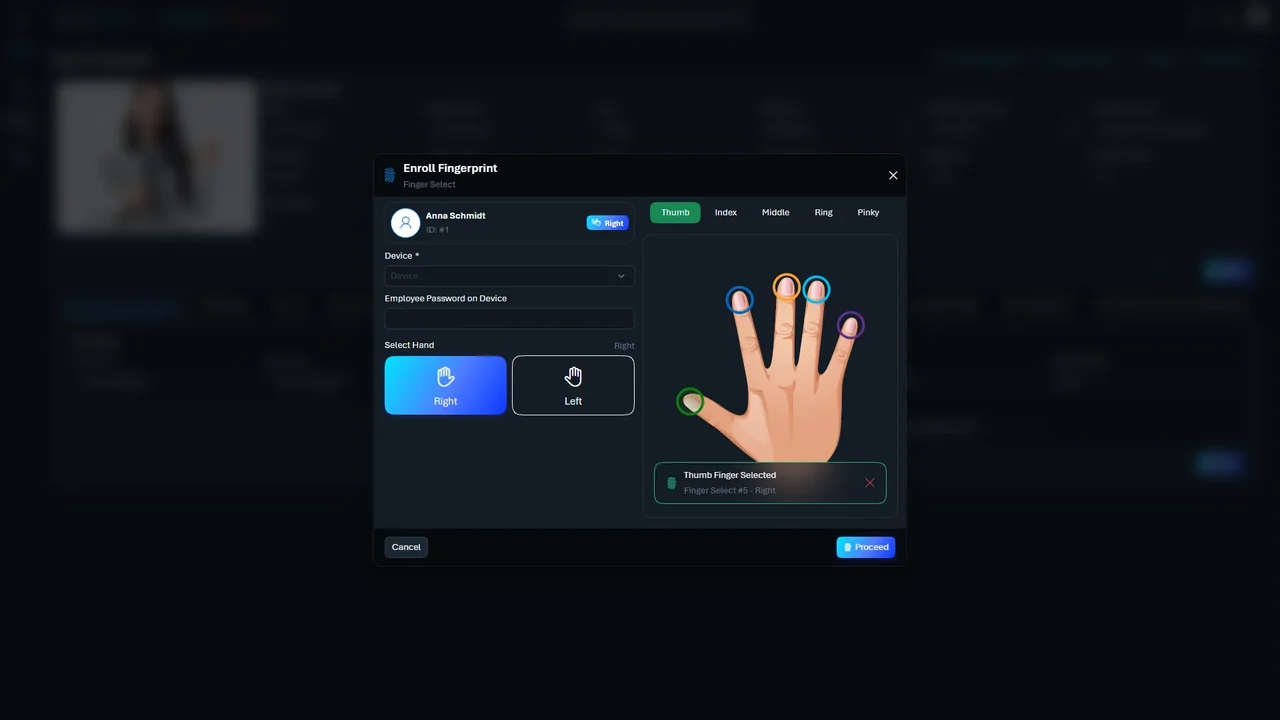
Pick the terminal, pick the hand, tap the finger – the fingerprint is linked to the employee profile through the connected terminal.
ZKTeco, SpeedFace and MB460 are trademarks of their respective owners. They are named only to describe compatibility; no partnership is implied.
Workforce Intelligence
innovdeHR keeps checking attendance data, pending requests and terminal connections – so exceptions are cleared before the payroll period closes.
Flagged cells show missing clock-outs or exceptions – everything else books itself.
Leave requests that still need approval before the monthly close are grouped – with a preview of the new balance.
Visible for every terminal: active or not, workplace and last sync.
Probation milestones surface in time for the review.
Advances and payback schedules are reconciled against payroll data.
Wherever your people work
The same data for every role: HR at the desk, supervisors on the floor, employees on the go.
HR & administration · full operations and configuration
Supervisors · staff lists and rosters
Employees · news, attendance, requests and payslips
Notifications · shift alerts and quick confirmation
FAQ
Question not listed? We're happy to show you innovdeHR in person.
innovdeHR links biometric capture at the terminal directly to the personnel record and the leave calculation – no intermediate scripts or extra middleware. ZKTeco terminals feed attendance data in directly.
ZKTeco terminals such as the SpeedFace-V5L and MB460, plus devices using the ZKTeco push/pull protocol over TCP/IP. Each device is registered by serial number and mapped to a workplace and entrance.
Punches stay in the terminal's memory. As soon as the connection is back, innovdeHR reconciles them automatically, drops duplicates and keeps the original timestamps.
Every profile keeps an account of annual entitlement, approved absences and remaining days. When a request is approved, the balance updates immediately.
Yes. Head office, branches or warehouses can be set up as separate workplaces under one organisation – each with its own shift schedules and terminal assignments.
Approved attendance, overtime, deductions and advances export to Excel or CSV, or go to your payroll software through a REST API.
innovdeHR
We'll walk you through innovdeHR in a personal demo – with your workplaces and your processes.